
What Is monday.com
- Monday.com is a cloud-based “Work OS” — a flexible work operating system — that helps teams manage projects, workflows, operations and more, all in one unified platform.
- Originally launched in 2014 under the name “dapulse,” it rebranded to monday.com in 2017 as it expanded its scope beyond simple task management.
- It’s used by organizations of many sizes — from small teams to large enterprises — and supports a wide variety of use cases: project management, marketing, CRM, development workflows, operations, service desks, and more.
What monday.com Offers — Features & Capabilities
Flexible Boards & Workflow Views
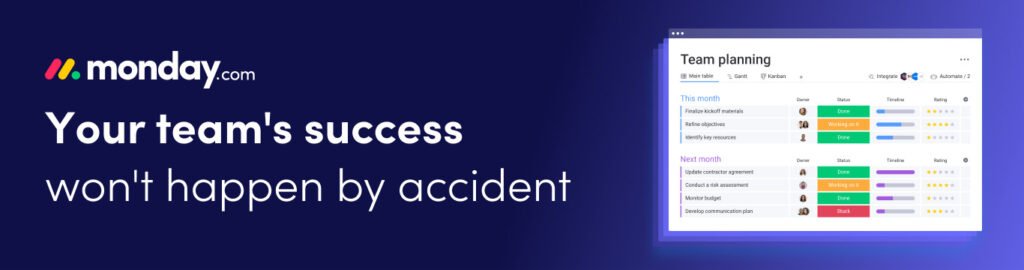
- monday.com allows you to organize work using customizable boards: you can track projects, tasks, clients, processes, and more.
- You get multiple ways to view and manage work: Kanban boards, timeline/Gantt charts, calendar view, table view — whatever suits your workflow best.
Automation & Integration
- The platform supports automation of repetitive or routine tasks (e.g. status changes, notifications, reminders).
- It integrates with many popular tools and services — messaging apps, file storage, calendars, dev tools, CRM systems, and more — enabling smooth data flow across different tools.
Templates & Customization / Low-Code / No-Code Flexibility
- monday.com provides a large library of templates for different use cases (project tracking, marketing, CRM, HR, development, etc.), which helps teams get started quickly.
- Because it’s a low-code/no-code platform, teams can adapt and build custom workflows and tools to match their unique processes without heavy engineering overhead.
Team Collaboration & Transparency
- You can centralize communication, tasks, files, updates — so the whole team works in a shared workspace with visibility into status, progress, responsibilities.
- For remote or distributed teams, monday.com aims to offer alignment, coordination, and clarity across what otherwise might become siloed workflows.
Specialized Products & Modules
- Beyond generic work/project management, monday.com offers specialized modules tailored for different needs: for instance monday.dev — designed for software/product development teams — supports agile workflows, sprint planning, backlog & bug management, Kanban, reporting, etc.
- Similarly, there are CRM, service-management, operations-management — allowing the same platform to serve marketing, sales, development, customer support, operations, depending on what teams need.
Security & Scalability
- monday.com emphasizes enterprise-grade security and compliance, making it suitable for small businesses up to large corporations that care about data governance and reliability.
Who Uses monday.com & When It’s Useful
monday.com works well for:
- Startups, small to medium businesses, and fast-growing teams needing a scalable but flexible way to manage projects, tasks, and operations.
- Product development / software engineering teams — using monday.dev to manage sprints, roadmaps, bugs, deployments, etc.
- Cross-functional teams — marketing, sales, operations, support — that need centralized workflows, collaboration, transparency, and fewer siloed tools.
- Remote or distributed teams — who need a shared virtual workspace to coordinate work regardless of location.
- Companies wanting custom workflows — if your business doesn’t match a standard process, monday.com’s no-code flexibility helps build tailored processes.
In short: monday.com is useful whenever you need organization, visibility, flexibility, and collaboration across projects or ongoing business operations.
What to Keep in Mind / Potential Limitations
Like any powerful platform, monday.com has trade-offs:
- Because it’s so modular and customizable, there can be a learning curve — sometimes setting up boards, automation, integrations or the “right” workflow takes time.
- Some advanced features (views, storage, automation, integrations) are behind paid plans; the free or basic tiers have limits.
- If you misuse customization (too many boards, messy workflows, poor structure), visibility and clarity — one of its main benefits — can get lost.
- For very specialized or heavy-duty project-management needs (large scale engineering, complex dependencies, heavy resource planning), monday.com might not match specialized enterprise tools (though it is versatile).
Why monday.com Is Considered a “Work OS” — What That Means
- The idea behind monday.com’s “Work OS” branding is to move beyond “just project management” — to being a unified platform where all business workflows, communications, processes, and data converge.
- Instead of juggling multiple tools (spreadsheets, email, chat apps, separate PM software, CRM, service desk, etc.), a Work OS allows businesses to build custom applications/workflows on a common backbone — reducing tool sprawl, duplication, and inefficiency.
- That flexibility helps organizations evolve: as their needs change (scale up, add departments, add new kinds of workflows), they can adapt monday.com — without having to migrate to a completely different tool.
Industry-Specific Use Cases
While monday.com is a general Work OS, it caters extremely well to specific industries through templates, integrations, and dedicated modules.
Marketing Teams
- Campaign planning
- Content calendars
- Creative workflows
- Client approvals
- Analytics dashboards
Sales & CRM
- Lead management
- Pipeline tracking
- Client communication logging
- Sales forecasting
- Automated reminders & follow-ups
Software Development
- Sprint management
- Bug tracking
- Product roadmaps
- Version control integrations
- Outcome-based reporting
Human Resources
- Applicant tracking systems (ATS)
- Onboarding workflows
- Employee management
- Training and development tracking
Operations & Logistics
- Daily workflows
- Vendor management
- Inventory tracking
- Financial approvals
- SOP documentation
This flexibility is why monday.com appeals to both startups and enterprise-level organizations.